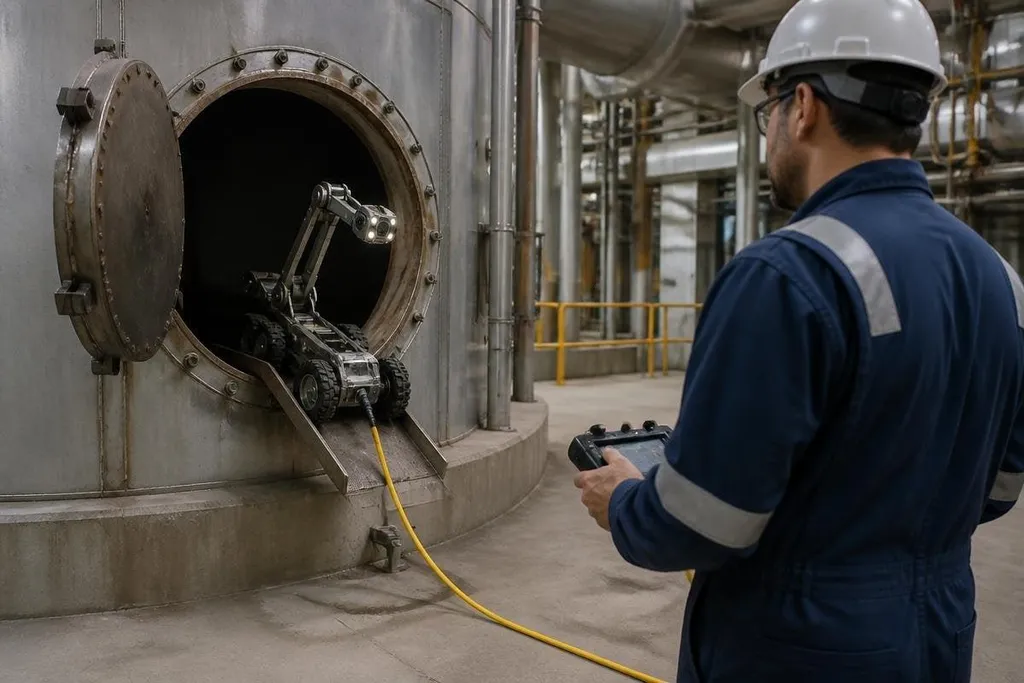
A robot can carry a load, enter a contaminated area, or inspect a machine while a worker stays outside the hazard zone. The useful question is narrower than whether robots will replace jobs: which tasks can they take over safely, and where does a person still need to make the call?
Quick read
- Mobile robots can inspect areas with heat, fumes, unstable ground, or moving equipment.
- Robotic arms can handle repeated lifting, cutting, welding, and machine tending.
- A worker still needs clear controls, safe stop systems, and a plan for faults.
Start with the task, not the robot
Danger often comes from a small part of a job. A worker may spend most of a shift in a safe area, then enter a restricted space for inspection or carry a heavy item across a busy floor. That short step can create the highest risk.
Robots can take over when the task has a clear route, a known object, or a repeatable motion. A mobile robot may carry a camera through a hot plant room. A robotic arm may load parts into a press.
A remotely operated vehicle may inspect a tank without sending a person inside. The robot needs a defined job. “Make the area safer” is too broad for a machine team to build and test. “Take temperature readings at these points while the line is stopped” gives the team a route, a sensor, and a result to check.
That detail also helps workers judge the change. They can see which part of the job moves to the robot, which part stays with them, and what happens when the machine stops.
Four ways robots reduce exposure
Robots reduce danger through distance, repetition, force, or access. These methods often work together, but each one calls for a different design.
Distance keeps people away from heat, dust, chemicals, radiation, traffic, or moving tools. Cameras, LiDAR, and other sensors let the robot collect information from a place that may be unsafe for a person.
Repetition removes long runs of the same motion. A robot can feed parts to a machine or move items between fixed points, while the worker checks quality and handles faults.
Force lets a robot lift, push, hold, or cut objects that would strain a person. The design still needs a stated payload, speed limit, and safe stop response. A load that is safe for the arm may still fall if the gripper loses power.
Access lets a small robot reach under vehicles, into pipes, across high structures, or through narrow passages. The camera view must give the operator enough detail to judge what the robot sees. A poor view can move the hazard from the worker’s body to their decision-making.
The worker’s job changes
Removing a dangerous motion does not remove the need for skilled work. A person may plan the route, set the inspection points, watch the robot, approve a repair, or take control when the surroundings change.
Remote operation can also create new risks. A worker may miss a person entering the robot’s path, lose the video feed, or misread distance on a flat screen. Safe systems use physical stop controls, clear warning signals, restricted zones, and a known response when communication fails.
The safety plan should be checked against a real deployment, not a control-room diagram. Dated robotics safety reporting can show the machine, site, task, and human stop point behind a safety claim. That record gives training a clear base before workers learn when to stop the system and report a fault.
Training should cover the machine and the work around it. Workers need to know when to stop the system, how to report a fault, and which steps still require a person in the hazard area.
What robots still can’t handle well
The system may work well when the floor, object, lighting, and route stay close to the test setup. Debris, damaged parts, blocked paths, poor visibility, and unexpected people can change that result quickly.
Remote control can help when full autonomy is unsafe, but it needs a reliable link and a trained operator. The team also needs to test the worst normal case, such as a blocked doorway or a dropped load, rather than rely on a smooth demonstration.
There is a fair case for using people instead. Some tasks happen too rarely to justify a robot, and some sites cannot support charging, maintenance, or safe separation. I’d choose the robot only when it removes a clear exposure and the team can show what happens when it fails.
A practical safety check
Before moving a dangerous task to a robot, check these points:
- Name the hazard and the exact motion the robot will take over.
- Set the payload, speed, reach, stopping distance, and operating area.
- Test blocked routes, lost communications, sensor faults, and dropped objects.
- Give workers a physical stop control they can reach during the task.
- Record which steps still need a person and why.
- Review incidents and near misses after the robot starts work.
The next useful measure is exposure: how often workers enter the hazard zone, for how long, and under which conditions. If those numbers fall without adding new risks around the robot, the system is doing the job it was bought to do.